Your Player - All Format Video
When it comes to finding the perfect video player for your mobile device, Your Player - All Format Video might just be the answer you've been looking for. With so many video formats floating around, having a versatile player that can handle them all is essential. Let me take you through my experience with this app and see if it’s the right fit for you.
First Impressions
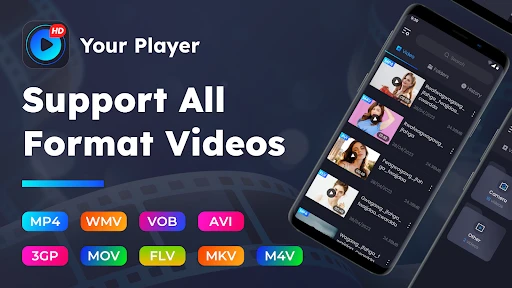
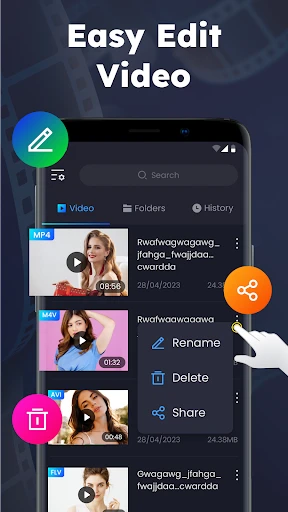
Downloading and installing Your Player was a breeze, taking up very little space on my phone. The interface is clean and intuitive, which is a big plus for those of us who don’t want to fumble around with complicated menus. The home screen is neatly organized, showing your video library right off the bat. It’s got a modern look without being too flashy, which I appreciate.
Features Galore
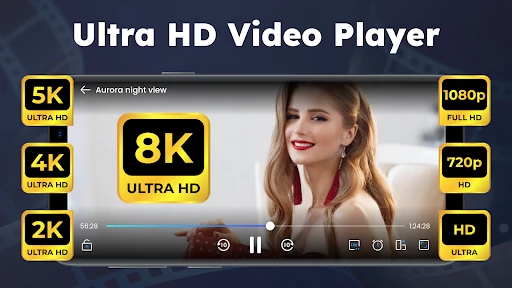
Now, let’s talk features. The app supports a wide array of video formats – from MP4, AVI, to MKV and even the less common ones like FLV. This means you won’t have to worry about converting files before watching them, saving you a ton of time and hassle. The playback quality is top-notch; whether I was watching high-definition movies or low-res clips, the video was smooth and uninterrupted.
One of the standout features is the subtitle support. You can easily add your own subtitle files or download them directly through the app. This is a game-changer for foreign films or when you’re in a noisy environment and need a little extra help following along.
Personalization and Ease of Use
Another aspect worth mentioning is the level of personalization Your Player offers. You can adjust the playback speed, change the aspect ratio, and even tweak the audio settings to suit your preferences. For someone like me who loves diving into the nitty-gritty of customization, this feature is a dream come true.
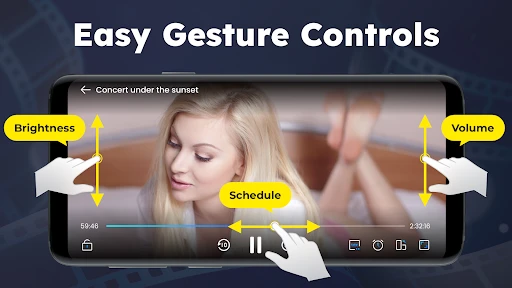
The app also supports gesture controls, which makes it super easy to adjust volume and brightness with just a swipe of your fingers. It’s these little touches that enhance the overall user experience, making it feel like the app was designed just for you.
Connectivity and Sharing
If you’re someone who loves sharing videos with friends, you’ll appreciate the app’s connectivity options. It allows streaming to other devices via Chromecast or DLNA, which is perfect if you want to enjoy your videos on a bigger screen. Plus, you can share your favorite clips directly from the app to your social media platforms.
The Verdict
In conclusion, Your Player - All Format Video is a solid choice for anyone in need of a reliable and versatile video player. It’s packed with features that cater to both casual users and video enthusiasts alike. Whether you’re watching movies on the go or streaming them at home, this app delivers a seamless experience that’s hard to beat.
So, give it a shot! Head over to the app store, download Your Player, and see for yourself why it’s quickly becoming a favorite among video aficionados. Happy watching!
- Developer
- jundeveloper
- Version
- 1.5.2
- Installs
- 5,000,000+
- Android Version
- 8.0
- Content Rating
- Everyone
- Price
- Free
- Supports multiple video formats effortlessly.
- User-friendly interface with easy navigation.
- High-quality video playback without lag.
- Offers subtitle support for various languages.
- Regular updates with new features.
- Contains ads in the free version.
- Some features require in-app purchases.
- Limited customization options.
- Requires internet for certain functionalities.
- Occasional bugs in the app.