Video Background Changer
If you've ever found yourself wishing to jazz up your videos with a different backdrop, then Video Background Changer might just be the app you didn’t know you needed. This app wants to be your go-to for swapping out boring backgrounds with something more eye-catching, all without the need for a green screen. Let’s dive into what makes this app tick and if it’s worth your time.
Transform Your Videos in a Snap!
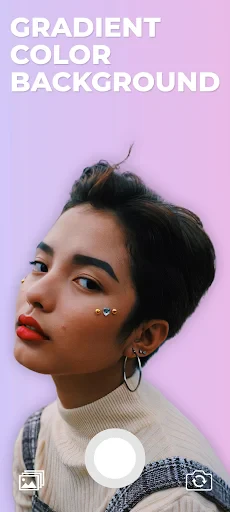
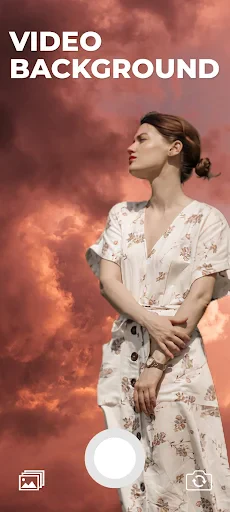
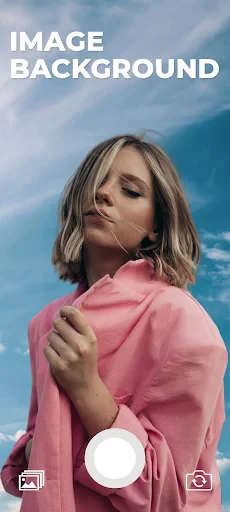
First off, let's talk about the main feature: changing video backgrounds. Video Background Changer offers a straightforward interface that’s designed to keep things simple. Even if you’re not tech-savvy, you’ll find the app intuitive and easy to navigate. Just upload your video, choose a background from the app's library or upload your own, and voila! Your video now has a brand-new setting.
What sets this app apart is the AI technology that powers the background changing feature. It does a pretty decent job of recognizing the subject in your video and separating it from the background. While it might not be perfect, especially with complex edges like messy hair or fast movements, it’s surprisingly effective for a mobile app.
Customization at Your Fingertips
Another neat aspect of Video Background Changer is the level of customization it offers. You’re not just limited to static images; you can add dynamic backgrounds too, which can really make your videos pop. The app also lets you adjust the intensity and opacity of the background change, giving you more control over the final look.
Plus, there are built-in filters and editing tools to tweak the colors and add effects, ensuring your video looks polished. It’s like having a mini editing suite right in your pocket. Whether you’re making a fun birthday video or a professional-looking promo, you’ve got the tools you need.
Performance and Usability
On the performance front, Video Background Changer runs smoothly for the most part. The processing time for changing backgrounds isn’t too long, but it does depend on the length and quality of your video. I tested it on a few different devices, and it held up well on newer smartphones, though older models might experience some lag.
Usability-wise, I appreciated the app’s clean layout. It doesn’t bombard you with ads, which is a huge plus in my book. However, some features are locked behind a paywall, so if you’re serious about video editing, you might consider the premium version. The free version is still quite functional, though.
Final Thoughts: Is It Worth the Download?
So, should you download Video Background Changer? If you’re looking to spice up your videos without diving into complicated editing software, this app is definitely worth a shot. It’s user-friendly, offers a good range of features, and the results are impressive for mobile editing.
While it’s not perfect and might struggle with more intricate edits, it’s a fun and handy tool for casual users and budding content creators. Just remember to keep an eye on your device’s performance when using it, especially if you’re on an older phone. All in all, it’s a nifty little app that brings a bit of movie magic to your fingertips!


- Developer
- MAA FOR APPS
- Version
- 4.5.6
- Installs
- 1,000,000+
- Android Version
- 5.0
- Content Rating
- Everyone
- Price
- Free
- Easy to use interface
- High-quality video outputs
- Wide variety of background options
- Quick processing time
- Supports multiple video formats
- Limited free version features
- Requires a stable internet connection
- Occasional app crashes
- In-app advertisements
- Large file size for download