TruckMap - Truck GPS Routes
When it comes to trucking, hitting the right route efficiently and safely is paramount. Enter TruckMap - Truck GPS Routes, an app designed specifically for truck drivers, making sure your journey is smooth and hassle-free. I decided to take it for a spin to see if it lives up to its promise of being a trucker’s best companion on the road.
The First Impression
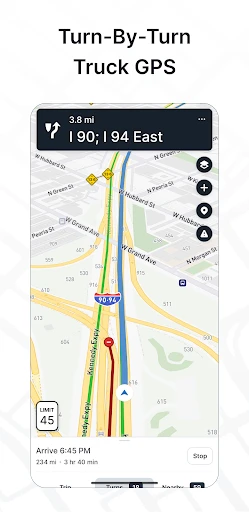
Right off the bat, the installation was quick and straightforward. Once you fire up the app, you're greeted with a clean interface that's surprisingly easy to navigate. No unnecessary frills, just what you need to get started. I found this to be a refreshing change from the cluttered screens that some other navigation apps throw at you. The app has a professional look, yet it feels personal and inviting. You know it's made with truckers in mind.
Features that Stand Out
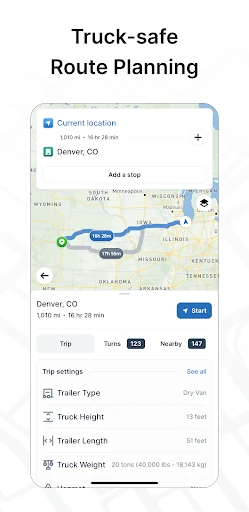
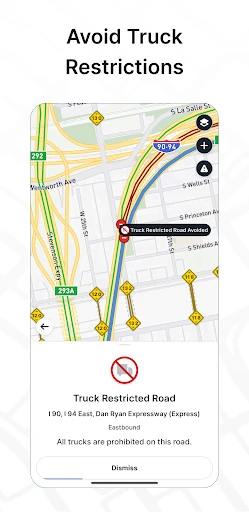
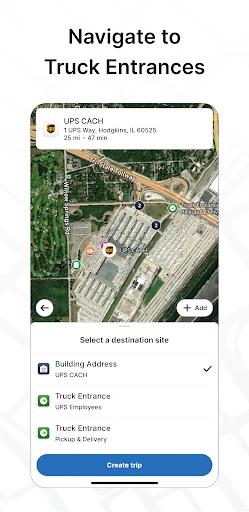
One of the first things I noticed was the detailed truck-specific routing. TruckMap provides routes based on your vehicle's dimensions and weight, which is a game changer. No more guessing games or wrong turns because your rig is too large for a route. The app also includes updated restrictions like bridge heights and weight limits, which is crucial information for any truck driver.
Another feature I really appreciated is the real-time traffic updates. The app integrates live data to help you avoid traffic jams, accidents, and road closures. This means less time stuck on the road and more time getting to your destination.
User Experience and Performance
The app runs smoothly without any noticeable lags, which is essential when you're on the road. You don’t want your GPS freezing up when you’re about to take an exit! During my test drives, TruckMap consistently provided accurate directions and recalculated routes swiftly when I intentionally went off the suggested path.
Moreover, the app supports offline maps. This is a lifesaver when driving through areas with spotty cell service. You can download maps ahead of your trip, ensuring you’re never without guidance.
A Few Final Words
In conclusion, TruckMap - Truck GPS Routes is a robust app for any truck driver looking to make their journeys more efficient and less stressful. It’s a reliable co-pilot that’s got your back with truck-specific routes, real-time updates, and offline capabilities. Whether you're a seasoned trucker or new to the scene, this app is definitely worth the space on your smartphone. So, next time you’re gearing up for a long haul, give TruckMap a try and see how it transforms your travel experience.
- Developer
- Tenstreet
- Version
- 4.61.2
- Installs
- 500,000+
- Android Version
- 9
- Content Rating
- Everyone
- Price
- Free
- User-friendly interface for easy navigation.
- Provides accurate truck-specific routes.
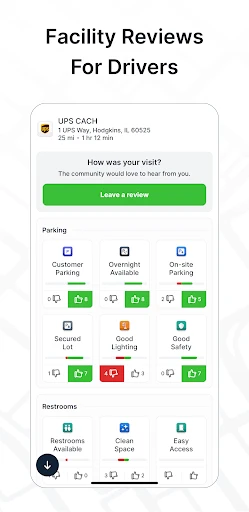
- Includes truck stop and parking locations.
- Real-time traffic updates enhance planning.
- Allows customization for different truck types.
- Limited offline map availability.
- Occasional glitches in route recalculations.
- Some features require a premium subscription.
- Battery drain due to GPS usage.
- Infrequent updates on new road restrictions.