Tide Table Chart
Diving into the Tide Table Chart App
If you’re someone who loves the ocean like I do, whether it’s surfing, fishing, or just beachcombing, you know how crucial it is to have accurate tidal information. Enter the Tide Table Chart app, a handy tool that promises to be your best buddy on your coastal adventures. I decided to give it a whirl and here’s what I found.
First Impressions
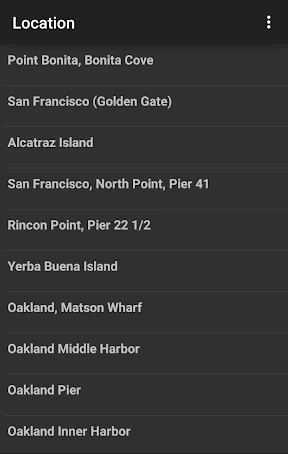
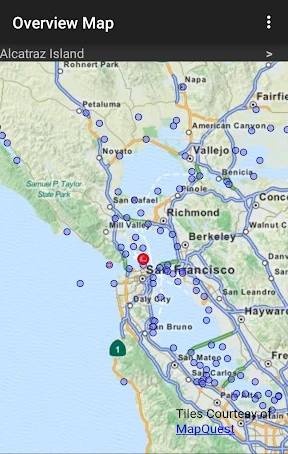
Right off the bat, the app greets you with a clean and user-friendly interface. There’s no clutter, just the essential information you need. Setting it up was a breeze—just input your desired location and boom, you’ve got tides. It covers thousands of locations worldwide, so you’re pretty much sorted no matter where you are. The interface is intuitive, which is a big plus if you’re someone who doesn’t want to spend hours figuring out how to use an app.
Features that Stand Out
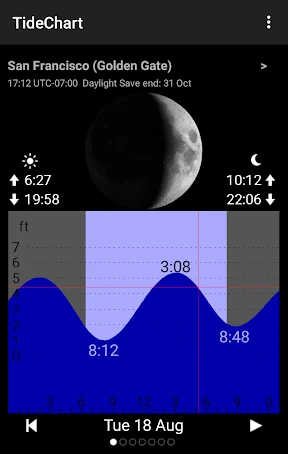
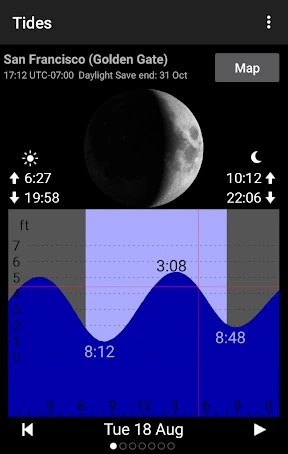
One of the features that I absolutely love is the detailed graph view. It’s not just about high and low tides; the app provides a comprehensive graph that outlines the tidal movements throughout the day. This is super helpful if you’re planning activities around specific tidal conditions.
Another nifty feature is the offline mode. If you’re in a remote area with no internet, the app still functions, which is a lifesaver. I’ve been in situations where connectivity is spotty, and having offline access to tide tables can really save the day.
The app also syncs with your calendar, so you can plan your activities in advance. This integration is seamless and ensures you never miss an ideal tide again. Plus, there are custom notifications. Want to know when it’s the best time to hit the waves? Set an alert and you’re good to go.
Performance and Reliability
In terms of performance, the Tide Table Chart app is pretty robust. It loads quickly and doesn’t lag, which is crucial when you’re on the go. The data seems accurate and up-to-date. I’ve cross-verified the information with other sources, and it holds up well. For an app that’s free, the reliability it offers is commendable.
What Could Be Better?
No app is perfect, and Tide Table Chart isn’t an exception. While the app does a great job at what it’s designed for, I wish it had a social sharing feature. Imagine being able to share your favorite spots and tide times with friends directly from the app! It’s a minor gripe, but something I’d love to see in future updates.
Also, while the ads aren’t intrusive, an ad-free version would be a nice option for those willing to shell out a little extra for a cleaner experience.
Final Thoughts
All in all, the Tide Table Chart app is a fantastic companion for anyone who spends time by the sea. It’s packed with features that are both functional and user-friendly. Whether you’re a seasoned sailor or a weekend beachgoer, this app has something to offer.
In a world where the ocean is unpredictable, having a reliable tide chart is invaluable. So, if you’re planning your next coastal adventure, this app is definitely worth checking out. Happy beaching!
- Developer
- AppMosaic
- Version
- 1.8.1
- Installs
- 10,000+
- Android Version
- 7.1
- Content Rating
- Everyone
- Price
- $4.99
- User-friendly interface for easy navigation.
- Comprehensive tidal data for global locations.
- Offline access to tide information.
- Customizable alerts for tide changes.
- Supports both metric and imperial units.
- Limited free features
- subscription required.
- Ads can be intrusive during use.
- Occasional sync issues with data.
- User interface could be more modern.