Stack Team App
Have you ever wished for a tool that can effortlessly bring your sports team together, both on and off the field? Well, it seems like the Stack Team App might just be the answer to your prayers. I recently took it for a spin, and here's my take on this nifty little app that's making waves in the sports community.
Getting Started with Stack Team App
First things first, downloading and setting up the Stack Team App was as easy as pie. Available for both Android and iOS, you can find it on the respective app stores. Once installed, the registration process is straightforward, allowing you to sign up using an email address or via Facebook. What’s more, the app is free, which is always a bonus in my book.
User Interface & Experience
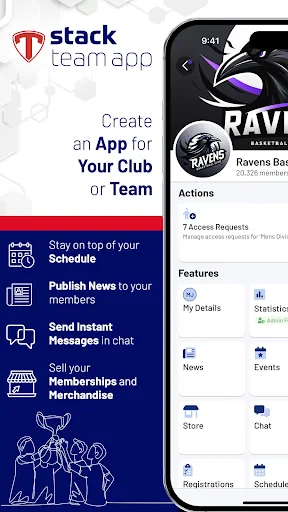
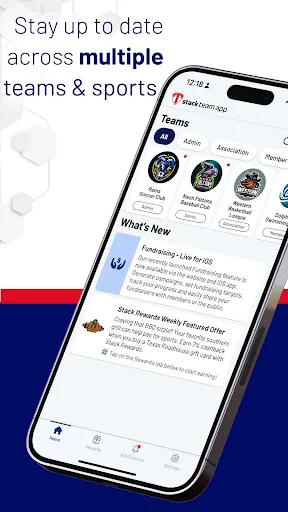
The user interface is sleek and intuitive, which is crucial when you're trying to manage a team and don’t have time to fiddle around with complicated menus. The dashboard is neatly organized, with quick access to features like scheduling, messaging, and member management. It’s designed to keep things simple, which is perfect for those who aren't tech-savvy.
Features That Stand Out
One of the standout features of the Stack Team App is its communication tools. You can send instant messages to your team members, create group chats, and even set up announcements for everyone to see. It's like having WhatsApp, but specifically tailored for your sports team.
Another gem is the scheduling feature. You can organize events, games, and practices, and every team member gets notified instantly. No more excuses about not knowing the practice time! Plus, the calendar sync feature means you can integrate it with your Google Calendar, ensuring you never miss a beat.
The app also provides a member management system, which lets you keep track of your team’s roster, including their contact information and attendance records. It’s a dream come true for any coach or team manager.
Performance on the Field
When it comes to performance, the Stack Team App doesn’t disappoint. It’s responsive and runs smoothly, even when dealing with large teams and numerous activities. I didn't experience any crashes or significant lags, which is a massive plus.
Customization and Personalization
What I really loved about the app is the level of customization it offers. You can personalize your team’s app with logos and colors, making it truly feel like your own. This might seem like a minor detail, but trust me, it adds a nice touch.
Final Thoughts
All in all, the Stack Team App is a game-changer for sports teams looking to streamline communication and organization. It’s packed with features that cater to all your team management needs, and while it’s not perfect, the few minor drawbacks are easily overshadowed by its benefits.
If you're part of a sports team and tired of juggling multiple platforms to keep everyone in the loop, give Stack Team App a try. It's a convenient, all-in-one solution that could very well become your team’s best friend both on and off the field. Don’t just take my word for it; download it and see for yourself. Who knows? It might just score a home run with your team!



- Developer
- Team Mates Pty. Ltd.
- Version
- 7.4.9-rc.5
- Installs
- 1,000,000+
- Android Version
- 5.0
- Content Rating
- Everyone
- Price
- Free
- User-friendly interface with intuitive navigation
- Real-time updates for team schedules and events
- Efficient communication with chat and notifications
- Customizable team and event management features
- Supports multiple sports and team types
- Limited offline functionality for remote areas
- Occasional app crashes during heavy usage
- Some features require in-app purchases
- Notifications can be overwhelming at times
- Limited customization for free version