
PlayStation App
Unlocking the World of PlayStation with the PlayStation App
If you're anything like me, a gaming enthusiast who just can't get enough of PlayStation, then the PlayStation App is about to become your new best friend. Imagine having the power of PlayStation right at your fingertips, whether you're on your daily commute or lounging on your couch. Intrigued? Let me take you on a journey through this app that promises to change the way you interact with your PlayStation console.
Sleek Design Meets User-Friendly Interface
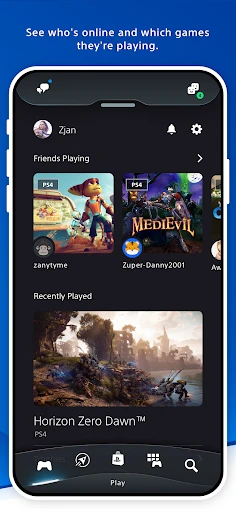
First impressions matter, and the PlayStation App doesn't disappoint. The sleek design is matched with an intuitive interface that makes navigation a breeze. From the moment you log in, you're greeted with a dashboard that feels familiar yet exciting. It's like opening a door to your gaming universe where everything is tailored just for you.
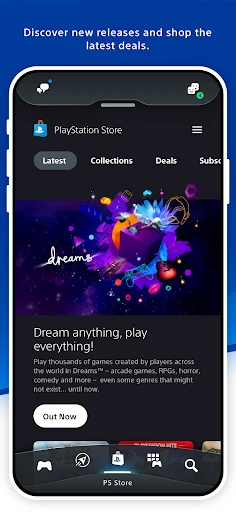
The app's layout is clean, and the icons are easy to understand. Whether you want to check out recent game releases, manage your downloads, or chat with friends, it's all just a tap away. The developers have done a fantastic job of ensuring that even the most tech-challenged among us can find our way around without a hitch.
Stay Connected, Stay Ahead
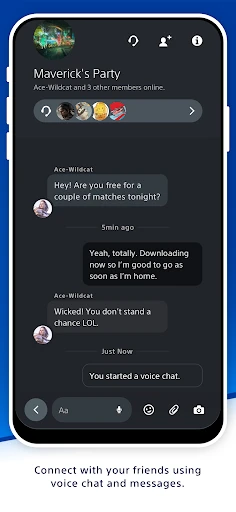
One of the standout features of the PlayStation App is its ability to keep you connected with your gaming community. Got a friend who just unlocked a new trophy? You’ll be the first to know. Want to join a multiplayer game? No problem. The app allows you to join games and even voice chat with your friends, making it feel like you're right in the action, even if you're miles away.
And let's talk about notifications. The app ensures you're always in the loop with real-time alerts about game updates, sales, and events. It’s like having your very own gaming assistant who makes sure you never miss a beat. Trust me, once you start using this feature, you’ll wonder how you ever gamed without it.
Remote Play: Game On, Anytime, Anywhere
Here’s where things get really exciting. The Remote Play feature is a game-changer, quite literally. Imagine being able to play your favorite PlayStation games right from your smartphone. Whether you're stuck in a waiting room or chilling in a park, your gaming adventures can continue uninterrupted.
Setting up Remote Play is straightforward, and once it's up and running, it’s like you’re carrying a portable PlayStation console. The gameplay experience is surprisingly smooth, with minimal lag, making it a viable option for serious gaming sessions on the go.
Personalized Experience
One thing I absolutely love about the PlayStation App is how it personalizes your experience. From recommending games based on your play history to tailoring news feeds to your gaming preferences, it feels like the app knows what you want even before you do. It's like having a personal gaming concierge who’s got your back at all times.
Plus, you can customize your profile and show off your gaming achievements. It's a small touch, but it adds a personal flair that makes the app feel uniquely yours.
Final Thoughts
In a world where convenience is king, the PlayStation App reigns supreme. It’s an essential tool for any PlayStation enthusiast looking to enhance their gaming experience. Whether you're managing your game library, staying in touch with friends, or diving into a game via Remote Play, this app has got it all. So go ahead, give it a download and let the PlayStation App transform the way you play.
- Developer
- PlayStation Mobile Inc.
- Version
- 25.5.1
- Installs
- 100,000,000+
- Android Version
- 8.0
- Content Rating
- Teen
- Price
- Free
- Seamless integration with PlayStation console.
- Real-time notifications and updates.
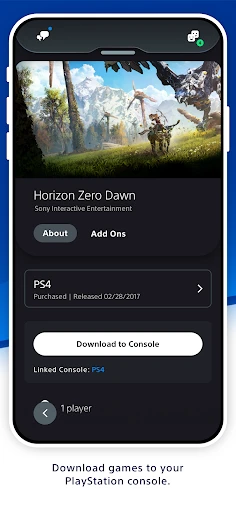
- Remote game downloads and installations.
- Access to PlayStation Store offers.
- Social connectivity with friends.
- Requires constant internet connection.
- Occasional lag in app performance.
- Limited features compared to console.
- Large storage space required.
- In-app purchases can be costly.