Musicolet Music Player icon

Musicolet Music Player

Music & Audio

Related searches

When it comes to enjoying music on your Android device, there's a plethora of choices out there. But every once in a while, an app comes along that makes you go, "Wow, this is exactly what I needed!" Musicolet Music Player is one of those gems. If you're tired of bloated music players that demand internet access for features you don't need, then you'll want to hear about this one.

Why Musicolet Stands Out

So, what's the big deal about Musicolet Music Player? Well, for starters, it's completely offline and boasts a clean, intuitive design that's easy on the eyes. I mean, who needs an internet connection just to play some tunes, right? Musicolet keeps it simple, and that's what makes it so special.

Multi-Queue Management

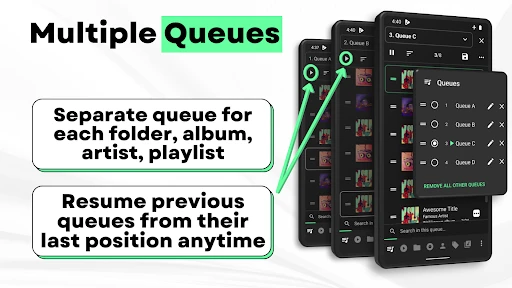
One feature that genuinely blew my mind is the app's multi-queue management. Imagine this: you're vibing to a playlist and suddenly remember a song you just have to hear next. With most apps, you'd have to interrupt your current playlist. But not with Musicolet! You can create and manage multiple queues without skipping a beat. It's like having a personal DJ in your pocket!

User-Friendly Interface

Let's talk about the interface for a sec. The developers have nailed it with a minimalist approach that ensures everything is just a tap away. No unnecessary frills, just pure functionality. And the best part? It's super customizable. Whether you're a night owl who loves dark themes or someone who enjoys a bright and cheery look, Musicolet has you covered.

Advanced Features That Impress

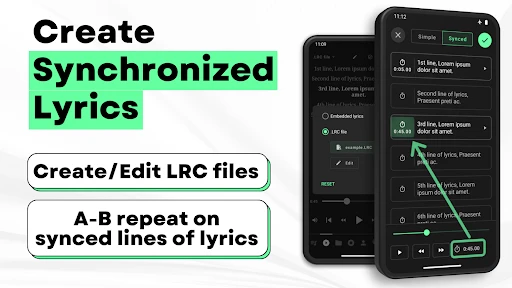
Musicolet isn't just about playing music; it's about enhancing your listening experience. The app includes an equalizer for those who like to tweak their sound, and it supports lyrics too. You can even tag songs and organize them into folders like a pro. This app respects your organization skills!

Lightweight and Efficient

Have you ever used an app that drains your battery faster than you can say "low power mode"? Thankfully, Musicolet is lightweight and efficient. It doesn't hog your device's resources, which means more playtime and less time charging. Plus, no pesky ads to interrupt your jam sessions. Hallelujah!

In conclusion, if you're on the hunt for a music player that does its job without fuss, Musicolet Music Player is a must-try. It's all about giving you the best offline music experience with features that are actually useful. Trust me, once you try it, you won't look back.

Musicolet Music Player screenshot Musicolet Music Player screenshot Musicolet Music Player screenshot Musicolet Music Player screenshot Musicolet Music Player screenshot
Developer
Krosbits
Version
Varies With Device
Installs
10,000,000+
Android Version
Varies With Device
Content Rating
Everyone
Price
Free
Pros
  • No ads for uninterrupted listening.
  • Supports offline music playback.
  • Lightweight and efficient app.
  • Multiple queues for better organization.
  • Simple and intuitive UI.
Cons
  • Limited online music features.
  • No built-in equalizer settings.
  • Cannot stream music online.
  • Basic design lacks customization.
  • Limited to local music files only.

Ratings

4.7

Similar Apps

radio.net - AM FM Radio Tuner

radio.net - AM FM Radio Tuner

4.6
Get
Android Ringtones 2024

Android Ringtones 2024

4.7
Get
Metronome Beats

Metronome Beats

4.8
Get
Smule: Karaoke, Sing & Record

Smule: Karaoke, Sing & Record

3.9
Get
AndroPods - Airpods on Android

AndroPods - Airpods on Android

4.2
Get
Offline Music Mp3 Player- Muso

Offline Music Mp3 Player- Muso

4.7
Get
Music Recognition - Find Songs

Music Recognition - Find Songs

4.5
Get
Podcast Player - Castbox

Podcast Player - Castbox

4.7
Get
Mp3 Music Downloader

Mp3 Music Downloader

4.7
Get
ORG 24: Your Music

ORG 24: Your Music

4.4
Get

Frequently Asked Questions

What makes Musicolet Music Player unique among other music apps?

Musicolet Music Player stands out primarily due to its offline functionality, allowing users to enjoy their music without needing an internet connection. Unlike many other music apps, Musicolet is completely ad-free and doesn’t include any in-app purchases, offering a streamlined and uninterrupted listening experience. Additionally, it supports multiple queues, providing users with the ability to manage up to 20 different playlists simultaneously, which is not a common feature in most music players.

Does Musicolet Music Player support various audio formats?

Yes, Musicolet Music Player supports a wide range of audio formats, including MP3, AAC, OGG, and more. This flexibility ensures that users can play almost any of their stored music files without needing to convert them into a different format. This feature is particularly beneficial for users who have a diverse music library collected from various sources.

How does Musicolet handle music organization and playlist management?

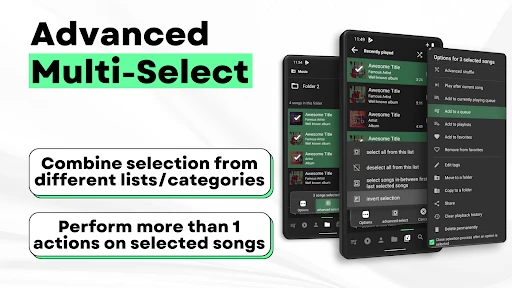
Musicolet offers robust music organization features, allowing users to create, edit, and manage playlists seamlessly. The app supports multiple queues, enabling users to create up to 20 playlists at once and switch between them easily. It also allows for tag editing and folder browsing, giving users full control over how their music is organized and accessed.

Is Musicolet Music Player user-friendly for beginners?

Absolutely, Musicolet Music Player is designed with a simple and intuitive interface that is easy for beginners to navigate. It provides straightforward controls and clear options for managing music, making it accessible for users who may not be tech-savvy. The absence of ads also contributes to a clean and user-friendly experience.

Can I use Musicolet Music Player on multiple devices?

Musicolet Music Player is primarily designed for single-device use, as it does not offer cloud sync or multi-device support. Users will need to manually transfer music files to each device. While this might be a limitation for some, it ensures that the app remains lightweight and privacy-focused, as it does not require internet permissions or data storage.