Magic Beauty Makeup Camera
Ever wondered how you’d look with flawless makeup without actually applying any? Well, let me introduce you to the Magic Beauty Makeup Camera. This nifty little app is a game-changer in the world of virtual makeovers, and trust me, it’s as fun as it sounds! Whether you're a makeup newbie or a seasoned pro, this app has something for everyone.
Getting Started with the Magic
The first thing you'll notice when you open the Magic Beauty Makeup Camera is its user-friendly interface. It’s like having a beauty salon right at your fingertips. The app is available on both Android and iOS, so no excuses for not trying it out! Once downloaded, you're greeted with a neat and tidy layout that's super easy to navigate. I was up and running in no time, snapping selfies and experimenting with different looks.
Explore the Features
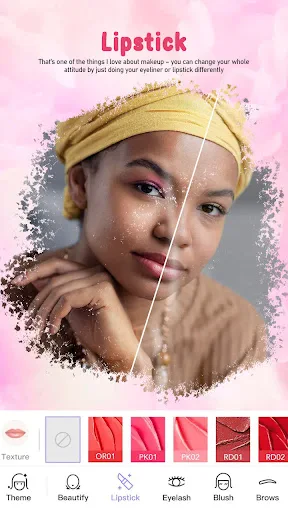
One of the standout features is the real-time makeup application. You can apply anything from a subtle blush to a dramatic smokey eye. It's incredibly realistic! I spent hours trying out different lipsticks and eyeshadows – all without the mess of actual makeup. Plus, the app has an impressive range of styles and colors to choose from. Feeling bold? Go for a vibrant red lip. Want something more natural? Opt for soft nudes.
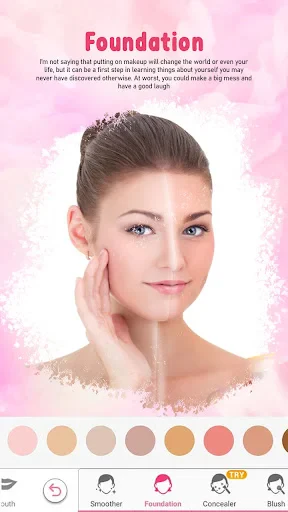
An added bonus is the skin smoothing feature. It subtly enhances your skin's appearance, giving you that airbrushed finish. Perfect for those days when your skin isn't cooperating, but you still want to look your best. The app also offers fun filters and effects to spice up your photos even more.
The Magic of the Camera
The camera feature is where the magic truly happens. It allows you to take a photo or upload one from your gallery, then transforms it with the makeup of your choice. What’s cool is that it doesn’t just slap on a filter; it intelligently maps your face to apply makeup precisely where it belongs, like a virtual makeup artist!
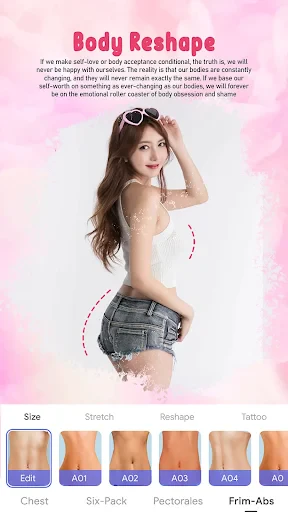
Another cool feature is the face reshaping tool. Now, I was a bit skeptical at first, but it actually works quite well. You can tweak your face shape, adjust your nose, or even plump up your lips. It’s all in good fun, and you can save the results to share with friends or keep for yourself.
Final Thoughts
If you love experimenting with makeup or just want to have some fun with your photos, the Magic Beauty Makeup Camera is a must-try. It’s easy to use, packed with features, and offers endless possibilities to unleash your creativity. While it might not replace your everyday makeup routine, it’s definitely a fantastic tool for trying new looks and enhancing your photos. So go ahead, give it a whirl, and see what magic you can create!

- Developer
- Beauty Hut
- Version
- 8.2.5
- Installs
- 500,000+
- Android Version
- 7.0
- Content Rating
- Everyone
- Price
- Free
- User-friendly interface for easy navigation
- Wide range of makeup tools and filters
- Real-time makeup application feature
- High-quality image output
- Regular updates with new features
- Contains in-app purchases for premium features
- May require high-performance device for smooth use
- Advertisements can be intrusive
- Limited free version capabilities
- Occasional app crashes reported