Google Home
Ever thought about turning your humble abode into a smart home? Well, let me introduce you to Google Home, the app that can potentially revolutionize how you interact with your household devices. It's been around for a while, but if you haven't jumped on the smart home bandwagon yet, now might be the perfect time.
Getting Started with Google Home
First things first, setting up Google Home is a breeze. All you need is a Google account, which most of us already have, and a compatible device. Once you're in, the app takes you on a little tour of what it can do. And let me tell you, it’s like having a personal assistant who never takes a day off.
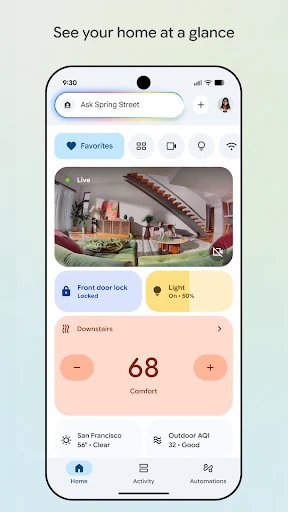
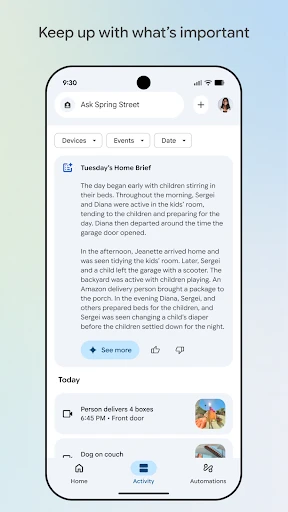
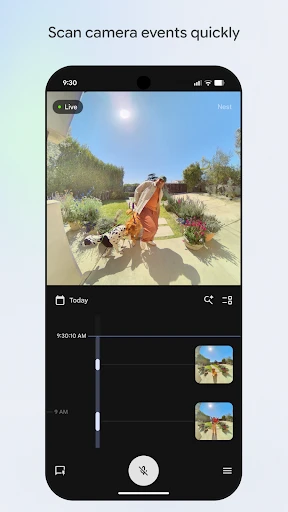
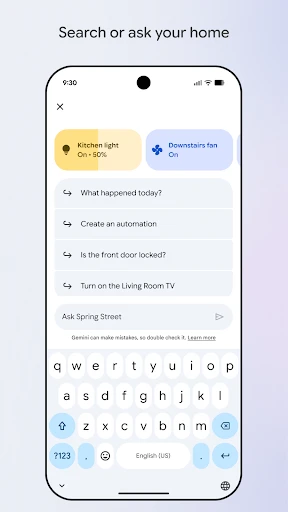
The interface is sleek and intuitive, making navigation a piece of cake. You can add and control all your smart devices from one place, whether it's your smart lights, thermostat, or even your TV. The app turns your smartphone into a universal remote, and who doesn’t love that?
Features Worth Mentioning
One of the standout features of Google Home is the Voice Match technology. It recognizes different voices in your household, so when you ask it to play your favorite playlist, it knows exactly which one you’re talking about. It's like magic, but real.
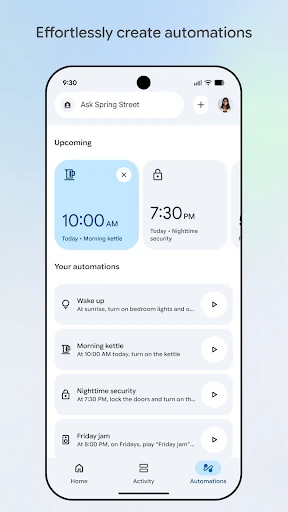
Another cool feature is the ability to create routines. Imagine waking up in the morning, and with a simple command, your lights turn on, the coffee maker starts brewing, and your favorite news podcast begins to play. It’s like living in the future, today.
And let’s not forget about the integration with Google Assistant. You can ask it anything from “What’s the weather today?” to “Remind me to call mom,” and it will oblige. It’s like having a friend who’s always ready to help.
Why You Might Love It
Google Home is perfect for anyone who wants to make their life a tad bit easier. It’s especially great if you’ve already invested in smart devices. The app brings everything together in one seamless experience, making your home not just smart, but brilliant!
Plus, if you’re already in the Google ecosystem, it integrates beautifully with existing services like Google Calendar, Google Maps, and more. It’s like the glue that holds all your tech together.
A Few Things to Consider
While Google Home is pretty amazing, it’s not without its quirks. Sometimes, the voice recognition might not pick up your commands correctly, especially if there’s background noise. It’s a little hiccup in an otherwise smooth operation.
Also, if you’re not using other Google products, you might not get the full experience. The app really shines when it’s connected to the broader Google ecosystem.
In conclusion, Google Home is a fantastic app for anyone looking to dive into the world of smart homes. It’s user-friendly, feature-rich, and integrates seamlessly with a host of devices. So, if you’ve been on the fence about embracing smart home technology, this might just be the nudge you need. Happy smart homing!
- Developer
- Google LLC
- Version
- Varies With Device
- Installs
- 1,000,000,000+
- Android Version
- Varies With Device
- Content Rating
- Everyone
- Price
- Free
- User-friendly interface
- Integrates with multiple smart devices
- Voice command support
- Customizable routines
- Remote control capabilities
- Requires stable internet
- Limited to Google ecosystem
- Potential privacy concerns
- Setup can be complex
- Dependent on compatible devices