GoFan: Buy Tickets to Events
Discover the Convenience of GoFan: Your Ultimate Ticketing Companion
Hey there, fellow event-goers! If you’re anything like me, you know the excitement of finding out about the latest concert or sports event in town. But let’s be honest, the hassle of securing tickets can sometimes be a buzzkill. Enter GoFan, your new best friend in the ticketing world. This nifty app promises to streamline your ticket-buying experience, and having given it a whirl, I’m here to share my thoughts.
Why Choose GoFan?
Alright, so let’s dive into why GoFan might just become your go-to ticket purchasing app. First off, it’s available on both Android and iOS, meaning no one’s left out. The app is designed with a user-friendly interface, making navigation a breeze. Whether you’re a tech whiz or a bit of a tech novice, GoFan ensures you won’t be fumbling around trying to figure out how to buy your tickets.
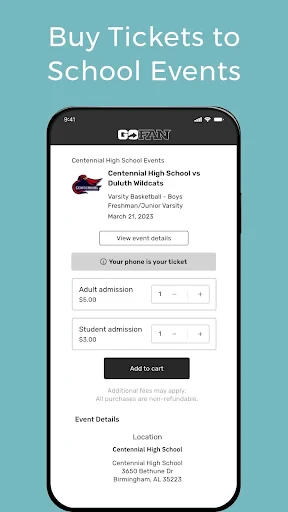
What sets GoFan apart is its focus on community and school events. If you’re a parent or a student trying to catch the next high school football game or a local theater production, this app is a lifesaver. It’s like having a ticket booth right in your pocket!
Seamless Ticketing Experience
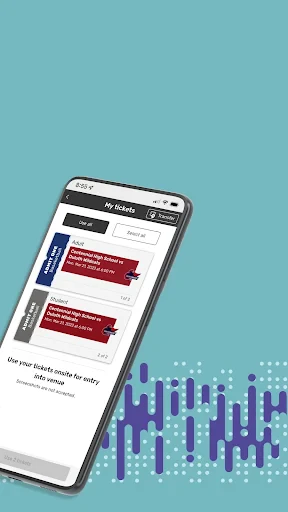
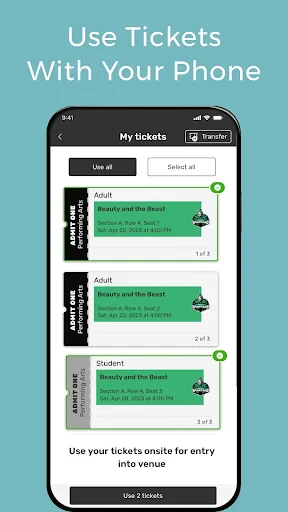
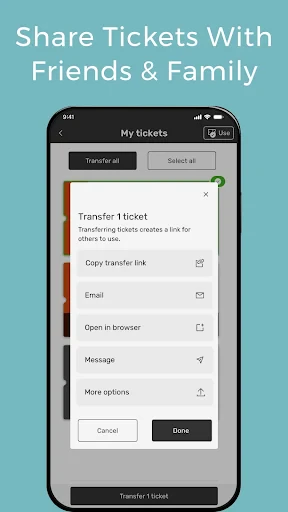
Now, let’s talk about the experience. One of the standout features of GoFan is its seamless ticketing process. Gone are the days of printing out tickets or standing in long lines. With GoFan, everything is digital. You purchase your ticket through the app and voila, it’s there on your phone, ready to be scanned at the event. It’s quick, it’s easy, and it’s eco-friendly!
The app also provides real-time notifications, ensuring you’re in the loop about any changes to your event. Trust me, there’s nothing worse than showing up at a venue only to find out the game’s been rescheduled. With GoFan, those days are behind you.
Usability and Design
Let’s get into the nitty-gritty of the app’s design. The developers have opted for a clean, minimalistic look, which I personally love. It’s not cluttered with unnecessary features, which means you can focus on what you’re there to do: buy tickets. The color scheme is easy on the eyes, and the layout is intuitive.
One of the things I appreciate about GoFan is its speed. The app loads quickly and doesn’t lag, which is crucial when you’re trying to snag tickets to a popular event before they sell out. Plus, the checkout process is smooth, with support for various payment methods including credit cards and digital wallets.
Final Thoughts
All in all, GoFan is a solid choice for anyone looking to simplify their event ticket purchasing process. Its focus on local and community events fills a niche that many larger ticketing platforms overlook. The ease of use, combined with its sleek design and efficient ticketing system, makes it a must-have app for event enthusiasts.
So next time you’re planning to attend an event, give GoFan a try. It might just change the way you buy tickets forever. Happy event-going!

- Developer
- GoFan
- Version
- 5.26.0
- Installs
- 100,000+
- Android Version
- 7.0
- Content Rating
- Everyone
- Price
- Free
- Easy to navigate user interface.
- Fast and secure ticket purchasing.
- Wide selection of events available.
- Instant ticket delivery to phone.
- User-friendly event search feature.
- Service fees can be high.
- Limited customer support options.
- Occasional app crashes reported.
- Not all events are listed.
- Requires account for purchase.