Gaming Mode - Game Booster PRO
Ever find yourself in the heat of battle, about to secure that winning kill, only for your phone to lag or a notification to ruin the moment? If you're a mobile gamer, you know this struggle all too well. Enter Gaming Mode - Game Booster PRO, a nifty tool designed to take your gaming experience to a whole new level. Having spent a decent chunk of time tinkering with it, here's the lowdown on what makes this app a must-have for gaming enthusiasts.
Streamlined Performance for Intense Gaming
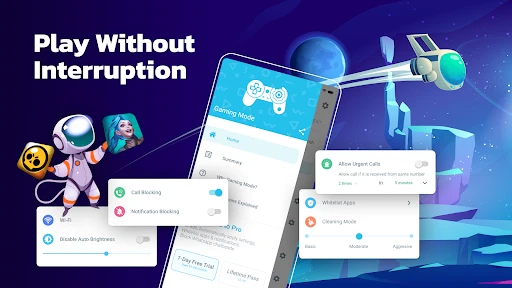
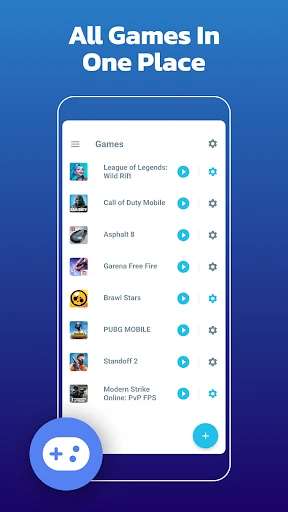
The first thing you'll notice about Gaming Mode - Game Booster PRO is its straightforward, user-friendly interface. When I first launched the app, I was greeted with a clean dashboard that made configuring settings a breeze. You can easily customize your gaming preferences, ensuring that your device is optimized for peak performance every time you jump into a game.
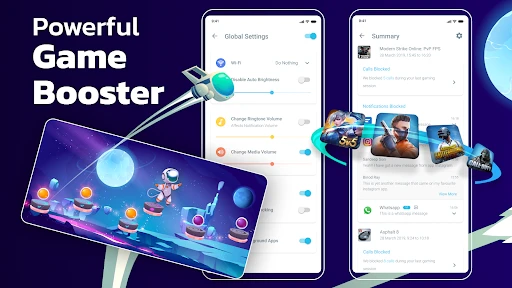
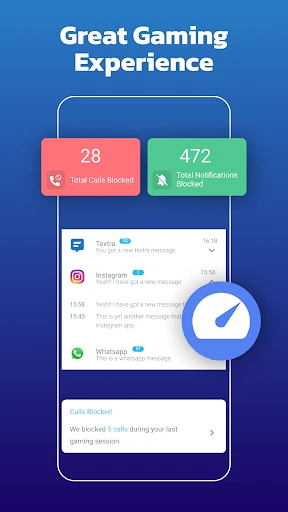
One of the standout features is its ability to automatically reject incoming calls and block notifications while gaming. Seriously, there’s nothing more annoying than getting interrupted mid-game. This feature alone had me sold, as it allowed me to stay focused on my screen, free from distractions.
Boosting Battery Life
We all know how gaming can be a real battery drainer. Thankfully, the app includes a battery saver mode that optimizes settings to extend your playtime. I noticed a significant improvement in battery usage, which meant fewer mid-game charging sessions and more uninterrupted gameplay. It's like having a little gaming genie ensuring my phone doesn’t die in the middle of an epic match.
Customizable Game Settings
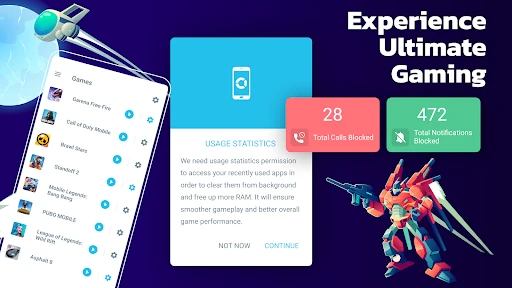
Another killer feature is the ability to tweak individual game settings. Whether you want to prioritize performance or graphics, the app lets you adjust settings for each game. I played around with these options for my favorite titles, and it made a noticeable difference in how smoothly they ran. Having the power to tailor the gaming experience to my preferences felt like a game-changer.
Moreover, the app's ability to clear background apps and stop unnecessary tasks ensured that my device’s resources were fully dedicated to gaming. This meant less lag and more frames per second, allowing for a seamless and immersive gaming session.
Final Thoughts
In a world where mobile gaming is more popular than ever, having an app like Gaming Mode - Game Booster PRO can make all the difference. It’s not just about enhancing performance; it’s about creating a space where you can fully immerse yourself in your favorite games without technical hiccups. Whether you're a casual gamer or a competitive player, this app is a worthy addition to your arsenal.
So, if you're tired of laggy gameplay and constant interruptions, give this app a try. It’s like having a personal gaming assistant ready to optimize your device at the touch of a button. Happy gaming!
- Developer
- ZipoApps
- Version
- 1.9.11
- Installs
- 10,000,000+
- Android Version
- 5.0
- Content Rating
- Everyone
- Price
- Free
- Enhances gaming performance effectively
- Reduces lag during gameplay significantly
- Customizable settings for different games
- Minimal impact on battery life
- User-friendly interface
- Some features require in-app purchases
- Compatibility issues with older devices
- Occasional ads in free version
- Limited support for non-gaming apps
- May not work on heavily customized OS