FEMA
Have you ever been caught in a situation where you needed quick, reliable information during a natural disaster? Well, the FEMA app is here to be your trusty sidekick. I recently downloaded it and decided to take it for a spin, and let me tell you, it’s become a staple on my phone.
Getting Started with FEMA
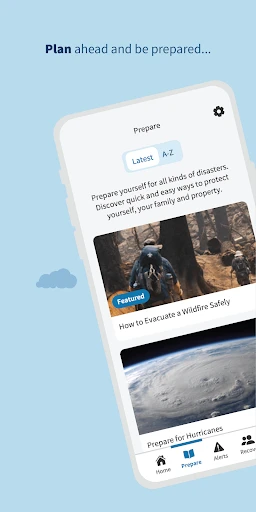
First off, installing the FEMA app was a breeze. Available for both Android and iOS, it took just a few seconds to download and set up. Once you open the app, you’re greeted with a user-friendly interface that’s pretty intuitive. No need to be a tech wizard here; everything is laid out in a way that makes navigation effortless.
Features that Stand Out
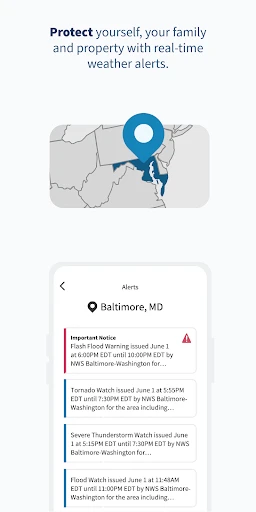
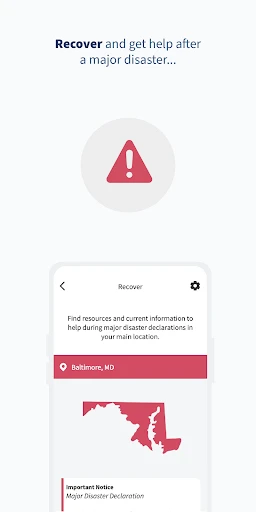
One of the first things I noticed was the array of features designed to keep you informed and prepared. The app offers real-time weather alerts, disaster resources, and safety tips tailored to your location. You can also customize the alerts to ensure you’re only getting the information that’s relevant to you. Pretty neat, right?
Another cool feature is the Disaster Reporter. It allows users to upload and share photos of disaster areas, providing valuable on-the-ground insights during emergencies. It’s like having a community of reporters at your fingertips!
Staying Prepared
The emergency kit checklist is another gem within the app. It’s a simple, effective way to ensure you have all the essentials ready to go. I found this particularly useful, as I often second-guess what I need to include in my emergency supplies. The checklist covers everything from water and food to tools and personal items.
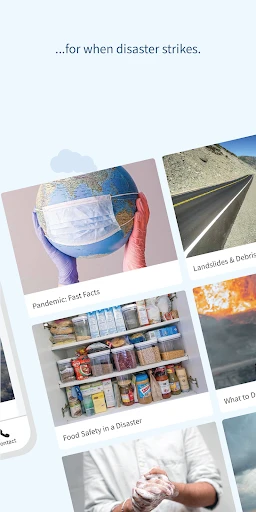
Additionally, the app offers a plethora of safety tips and advice on what to do before, during, and after various types of disasters, including hurricanes, earthquakes, and wildfires. It’s like having a pocket-sized survival guide with you at all times.
Room for Improvement?
While the FEMA app is incredibly functional, there’s always room for improvement. I noticed that the app’s design, although straightforward, could use a bit of a refresh to make it more visually appealing. Also, integrating more interactive elements could enhance user engagement.
Another aspect that could be improved is the speed of information updates. While it generally performs well, there were moments when updates lagged slightly behind the actual events. In emergency situations, every second counts, so quicker updates would be a welcome enhancement.
Final Thoughts
All in all, the FEMA app is a must-have for anyone looking to stay informed and prepared for emergencies. Its comprehensive features, from real-time alerts to detailed safety tips, make it an invaluable tool during disasters. With a few tweaks here and there, it could become even more indispensable.
If you haven’t already, I’d highly recommend giving the FEMA app a go. It’s like having a personal emergency assistant right in your pocket. Trust me, you’ll wonder how you ever managed without it!
- Developer
- Federal Emergency Management Agency (FEMA)
- Version
- 3.1.0
- Installs
- 1,000,000+
- Android Version
- 5.1
- Content Rating
- Everyone
- Price
- Free
- User-friendly interface
- Real-time weather alerts
- Comprehensive emergency tips
- Offline access to resources
- Customizable notifications
- Limited international support
- Frequent app updates required
- Occasional notification delays
- High data usage for updates
- Battery drain on older devices