Facemoji AI Emoji Keyboard
The Fun World of Facemoji AI Emoji Keyboard
Hey there! Ever felt like your regular keyboard just isn't expressive enough? Well, you're in for a treat with the Facemoji AI Emoji Keyboard. This app is like a breath of fresh air in the world of typing. Let me walk you through my experience with it!
First Impressions
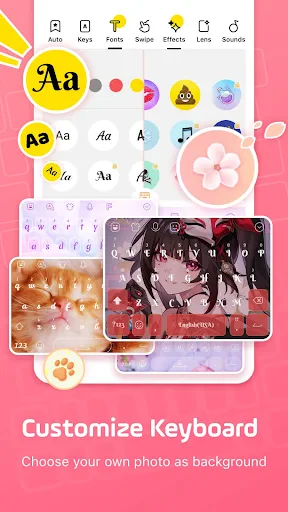
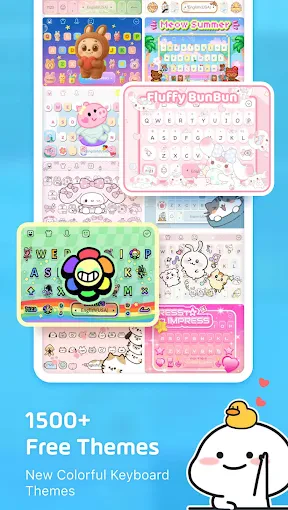
When I first downloaded the Facemoji app, I was a bit skeptical. "Another keyboard app?" I thought. But boy, was I wrong! From the get-go, the app asks you to customize your keyboard with a plethora of themes. Whether you're into vibrant colors, minimalist designs, or quirky patterns, Facemoji has got you covered. I chose this funky neon theme that just brightens up my day every time I type.
Features That Make You Go "Wow!"
Now, let’s talk about the real meat of this app – the features. Facemoji AI Emoji Keyboard isn't just about emojis. It takes personalization to a whole new level. You can create your own avatar using facial recognition technology. Yes, you heard that right! The app uses AI to generate an emoji avatar that looks just like you. It's like having your own mini-me right there on your screen.
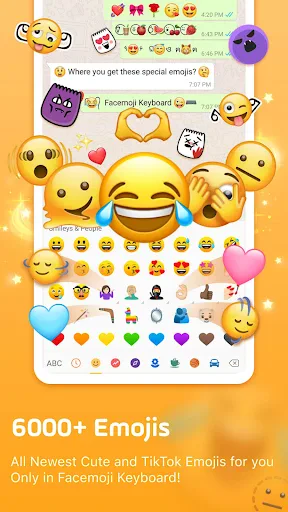
And the stickers? Don’t get me started. The selection is enormous and they’re all so fun. You can send a sticker of your avatar doing all sorts of things – from dancing to facepalming. It’s a great way to add some personality to your chats.
Typing Experience
Let's be honest, a keyboard app is only as good as its typing experience. Facemoji doesn't disappoint. The predictive text is surprisingly accurate and the swipe-to-type feature is smooth as butter. I have to admit, typing on this keyboard feels a lot more intuitive than my default one. Plus, the sound effects make typing oddly satisfying, like a little celebration with every word!
Why You Should Give It a Try
Aside from the fun and personalization, Facemoji AI Emoji Keyboard is also practical. It supports over 100 languages, so no matter where you're from, you're likely covered. Plus, the app is lightweight and doesn’t hog your phone’s resources, which is a big win in my book.
Security-wise, the app assures that it doesn’t collect any personal data or keystrokes, which is something I always look out for in a keyboard app.
Final Thoughts
So, should you download the Facemoji AI Emoji Keyboard? If you’re looking to spice up your texting game and have a bit of fun while you're at it, then absolutely yes! It’s a delightful mix of functionality and flair that makes every conversation a little more exciting. Give it a whirl, and you might just find yourself wondering how you ever texted without it.
In a world where communication is key, why not make it colorful and expressive? Facemoji is here to ensure that every message you send is uniquely you. Happy typing!

- Developer
- EKATOX APPS
- Version
- 3.5.4
- Installs
- 100,000,000+
- Android Version
- 5.0
- Content Rating
- Teen
- Price
- Free
- Highly customizable keyboard themes.
- Wide variety of emojis and GIFs.
- Smooth and responsive typing experience.
- Voice input and gesture typing available.
- Supports multiple languages seamlessly.
- Can be heavy on battery usage.
- Might lag on older devices.
- Contains in-app purchases.
- Frequent ads can be intrusive.
- Initial setup can be time-consuming.