EasyTether Pro
EasyTether Pro is one of those nifty apps that promises to make your life a tad bit easier, especially if you're constantly on the move and rely heavily on your smartphone's internet connection. Let me take you on a little journey through my experience with this app.
Getting Started with EasyTether Pro
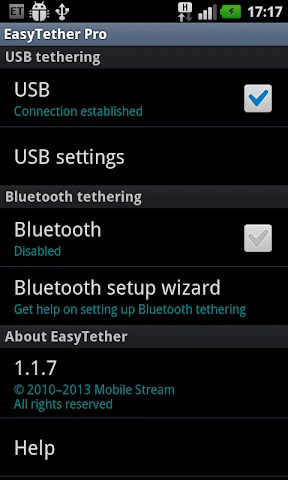
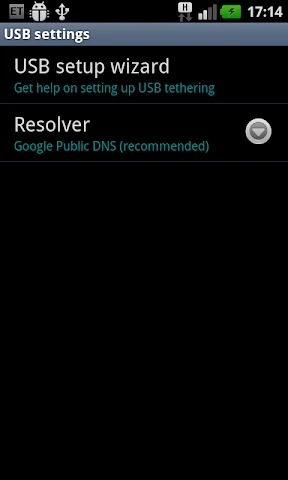
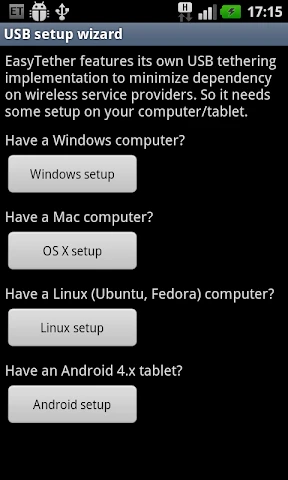
First off, setting up EasyTether Pro was surprisingly straightforward. I mean, I'm not exactly a tech wizard, but the app guided me pretty well through the process. All I needed was a USB cable, my smartphone, and my computer. After installing the necessary drivers (which the app conveniently provides links for), I was ready to roll. The app supports a variety of devices, including Windows, macOS, Linux, and even some gaming consoles, which is a nice touch.
Tethering Made Simple
What I loved most about EasyTether Pro is its simplicity. Once everything was set up, tethering was as easy as pie. I just had to launch the app, connect my device, and voila – my computer was online, using my phone's internet connection. This was a lifesaver during those moments when my home Wi-Fi decided to take a day off without warning.
The connection speed was decent too. Of course, it largely depends on your mobile data plan and the network coverage in your area, but in my case, streaming videos and browsing the web was pretty smooth. I didn't experience any major hiccups or lag, which was a pleasant surprise.
Compatibility and Performance
Another thing that impressed me was the app's compatibility. Whether you're using a Windows PC or a MacBook, EasyTether Pro has got you covered. I even tested it with a Linux machine, and it worked like a charm. The app also claims to support Xbox and PlayStation consoles, though I didn't get a chance to try that out myself.
Performance-wise, EasyTether Pro did not disappoint. The connection remained stable throughout my usage, and there were no sudden drops. It's worth noting that while tethering, your phone's battery might drain a bit faster, so keeping it plugged in is a good idea.
Final Thoughts
Overall, EasyTether Pro is a solid app for anyone looking to use their smartphone as a modem. It's user-friendly, performs well, and offers great compatibility across different platforms. While it may not be free, the convenience it offers is well worth the price for those who need reliable internet access on multiple devices.
If you're someone who frequently finds themselves in a bind with no Wi-Fi, EasyTether Pro might just be the app you never knew you needed. From my experience, it's definitely worth giving a shot.
- Developer
- Polyclef Software
- Version
- 1.1.20
- Installs
- 100,000+
- Android Version
- 1.5
- Content Rating
- Everyone
- Price
- $9.99
- Stable tethering connection
- No root access needed
- Supports multiple devices
- Compatible with major carriers
- Easy to set up
- Paid app
- Limited customer support
- No iOS version available
- Requires initial configuration
- Consumes battery quickly