Celebrity Cruises
Ahoy, fellow cruise enthusiasts! Today, I'm thrilled to share my thoughts on the Celebrity Cruises app, a nifty little companion that promises to enhance your cruising experience. Whether you're a seasoned sailor or a first-time cruiser, this app is designed to keep you informed, entertained, and well-prepared for your maritime adventure.
Setting Sail with Ease
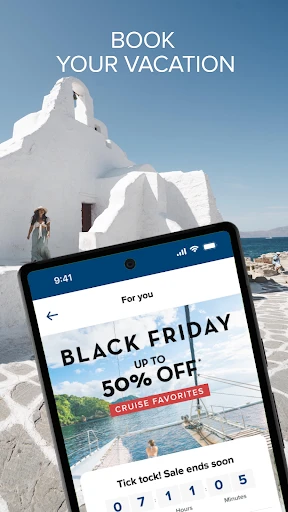
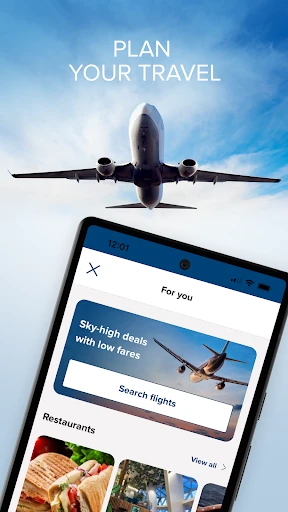
First things first, let's talk about getting started with the Celebrity Cruises app. Downloading and setting it up is a breeze. Once you've installed it, the app welcomes you with a sleek and user-friendly interface. It's like having a personal cruise concierge in your pocket. From booking your cruise to managing your itinerary, everything is just a few taps away.
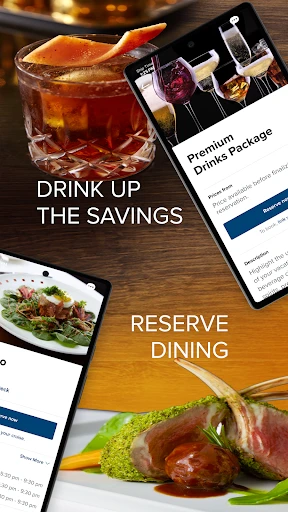
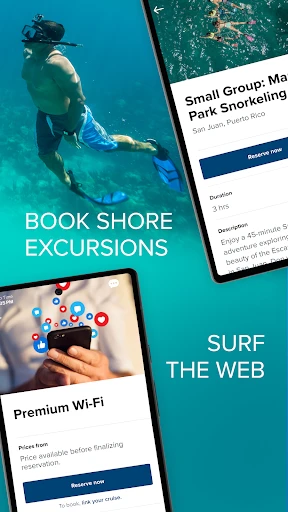
The app's intuitive design ensures that even those who aren't tech-savvy can navigate it with ease. You can access your booking details, explore shore excursions, and even make dining reservations without breaking a sweat. Trust me, it's a game-changer when you're on vacation mode and don't want to deal with any hassles.
Stay Informed, Stay Connected
One of the standout features of the Celebrity Cruises app is its ability to keep you informed throughout your journey. It provides real-time updates on your cruise itinerary, weather forecasts, and important announcements. Imagine lounging by the pool, cocktail in hand, and receiving a notification about a change in dinner plans – it's like having your own personal cruise director!
Moreover, the app is designed to keep you connected with fellow cruisers through its social features. You can join groups, share your experiences, and even make new friends before you set foot on the ship. It's like a virtual meet-and-greet, allowing you to connect with people who share your interests and travel passions.
Entertainment at Your Fingertips
When it comes to entertainment, the Celebrity Cruises app doesn't disappoint. It offers a comprehensive guide to all the onboard activities and shows, ensuring that you never miss out on the fun. Whether you're into live performances, culinary workshops, or spa treatments, the app has got you covered.
You can even customize your daily schedule to include your favorite activities and receive reminders so that you're always in the know. No more flipping through paper schedules or trying to remember what's happening next – it's all right there on your phone.
A Few Anchors to Consider
Of course, no app is perfect, and the Celebrity Cruises app is no exception. While it excels in many areas, there are a few anchors that might slow down your experience. Occasionally, the app can be a bit sluggish, especially when the ship's Wi-Fi is acting up. But hey, it's a small price to pay for having such a handy tool at your disposal.
Additionally, some features may be limited depending on your cruise package, so be sure to check what's available to you before setting sail. That said, these minor hiccups are easily overshadowed by the app's overall usefulness and convenience.
In conclusion, the Celebrity Cruises app is a must-have for anyone looking to make the most of their cruise vacation. It's like having a cruise expert at your fingertips, ready to assist you with all your needs. So, if you're planning a cruise with Celebrity, do yourself a favor and download this app. Bon voyage!

- Developer
- Royal Caribbean Cruises Ltd.
- Version
- 1.66.0.2
- Installs
- 1,000,000+
- Android Version
- 7.0
- Content Rating
- Everyone
- Price
- Free
- User-friendly interface for easy navigation.
- Wide variety of cruise destinations available.
- Real-time updates on cruise itineraries.
- Exclusive deals and promotions for app users.
- Easy booking and reservation process.
- Limited offline functionality.
- Occasional app crashes reported.
- High data usage for live updates.
- Some features require strong internet connection.
- Customer support response may be slow.