Amazon Photos: Photo & Video
If you're anything like me, your phone is bursting with thousands of photos and videos. It's a beautiful chaos, but managing all of that can be a real headache. That's where Amazon Photos comes into play, and let me tell you, it feels like a breath of fresh air for your digital life.
Why Choose Amazon Photos?
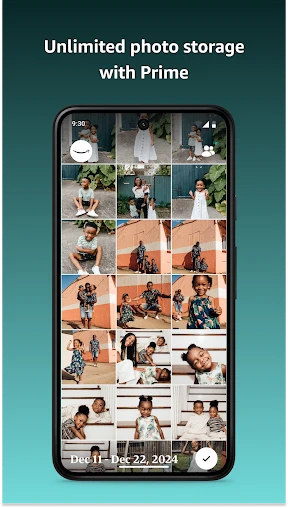
First things first, Amazon Photos offers an impressive amount of storage for Prime members. Unlimited photo storage? Yes, please! It's like having a closet that magically expands to fit all your clothes. And for non-Prime members, the storage is quite generous too, but you might want to consider that Prime membership for the sweet perks.
User Experience: Simple and Intuitive
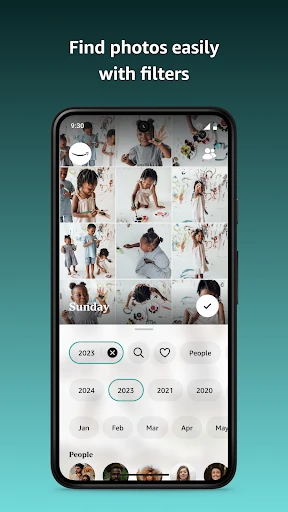
The app's interface is clean and straightforward, which is exactly what you need when you're trying to organize a sprawling photo collection. Navigating through Amazon Photos is as easy as pie. You can create albums, sort photos by date, or even search by keyword. It's surprisingly intuitive, and I found myself feeling like a photo-organizing pro in no time.
Uploading photos is a breeze. You can set it to automatically back up photos from your phone, which means you never have to worry about losing those precious memories. I love the peace of mind that comes with knowing my photos are safely stored in the cloud.
Features That Stand Out
One of the standout features of Amazon Photos is the "Family Vault." It allows you to share your photo storage with up to five family members. It's a great way to keep the family connected, sharing moments no matter where everyone is. Plus, it helps keep everyone's phone storage in check.
Another cool feature is the ability to order prints directly from the app. Whether you want to create a photo book, print individual photos, or make some wall art, it's all possible right from your phone. It's like having your own personal photo lab at your fingertips.
Privacy and Security
Now, let's talk about privacy. With all our precious memories stored in the cloud, security is a big concern. Amazon Photos uses advanced encryption to keep your data safe. It's nice to know that your photos are in good hands, and you don't have to worry about unauthorized access.
The Final Verdict
So, is Amazon Photos worth it? If you ask me, I'd say it's a no-brainer for Amazon Prime members. The ease of use, generous storage, and extra features make it a fantastic tool for managing your digital photo collection. Even if you're not a Prime member, it's still worth considering for its seamless experience and family-sharing options.
In conclusion, Amazon Photos is like a trusty sidekick in your quest to conquer your photo clutter. It's reliable, efficient, and packed with features that make managing and sharing your photos a joy rather than a chore. So, go ahead, give it a try, and let your photos live their best life in the cloud!

- Developer
- Amazon Mobile LLC
- Version
- Varies With Device
- Installs
- 50,000,000+
- Android Version
- 8.0
- Content Rating
- Everyone
- Price
- Free
- Unlimited photo storage for Prime members.
- Supports 4K video playback and storage.
- Auto-syncs photos across devices.
- Family Vault for sharing with family.
- Secure photo backup with encryption.
- Limited video storage for non-Prime users.
- No advanced photo editing tools.
- Occasional upload speed issues.
- Requires Amazon account to use.
- Limited free storage for non-Prime users.